
What it does
- Scans only when you ask. Tap the ContactTap button and it reads the page you're on — once, on demand. There is no background scanning, ever.
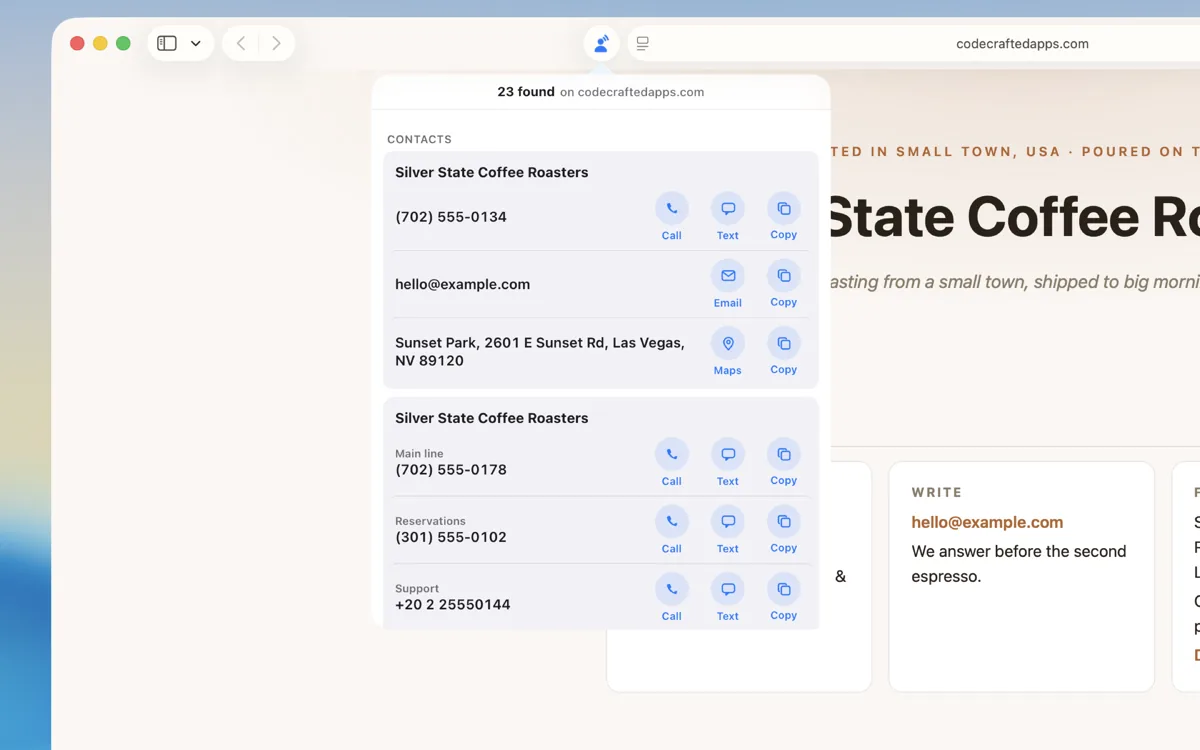
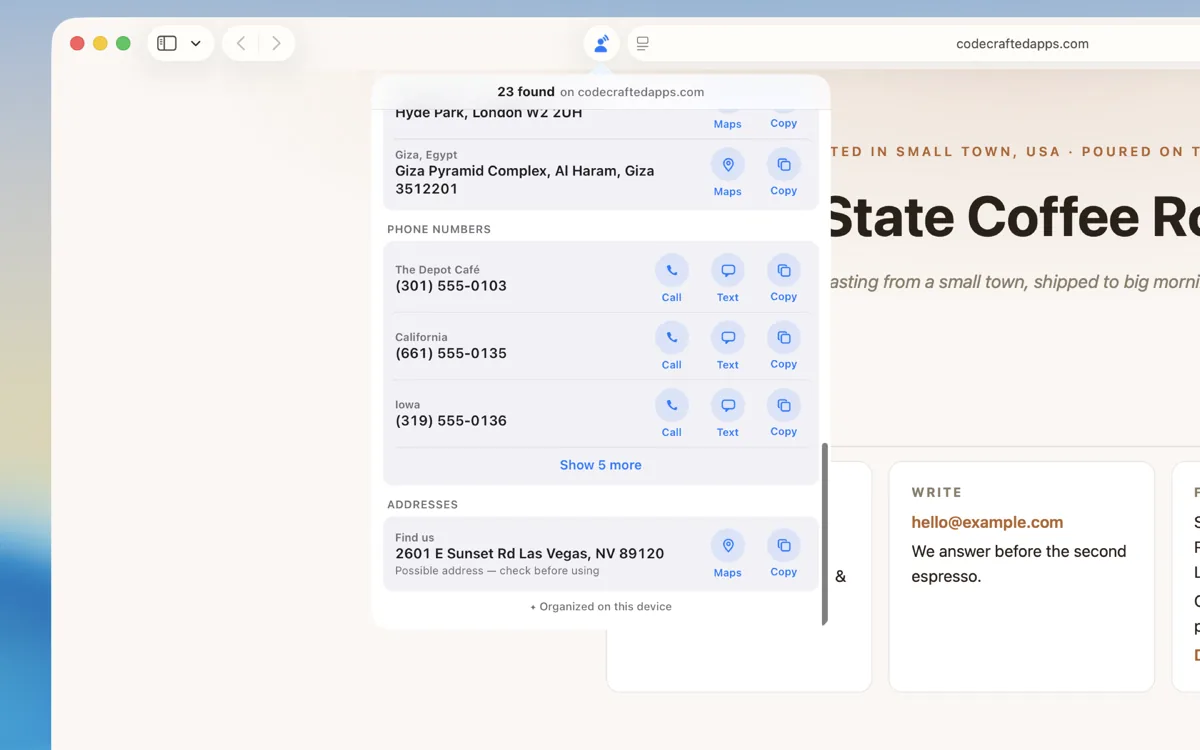
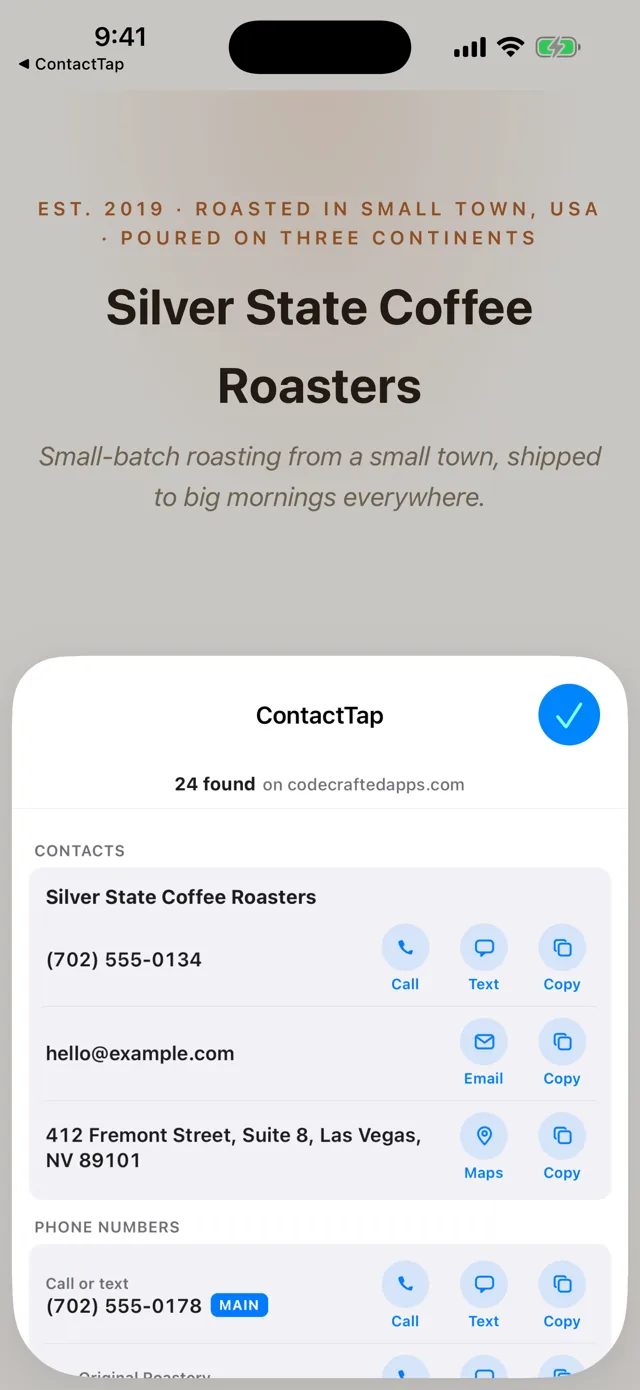
- Finds the contact info that matters. Phone numbers (US and international), email addresses, and postal addresses — from a site's structured data, from tap-to-call links, and from plain page text.
- Gives each one the right actions. Phone numbers get Call, Text, and Copy. Emails get Compose and Copy. Addresses get Open in Apple Maps and Copy.
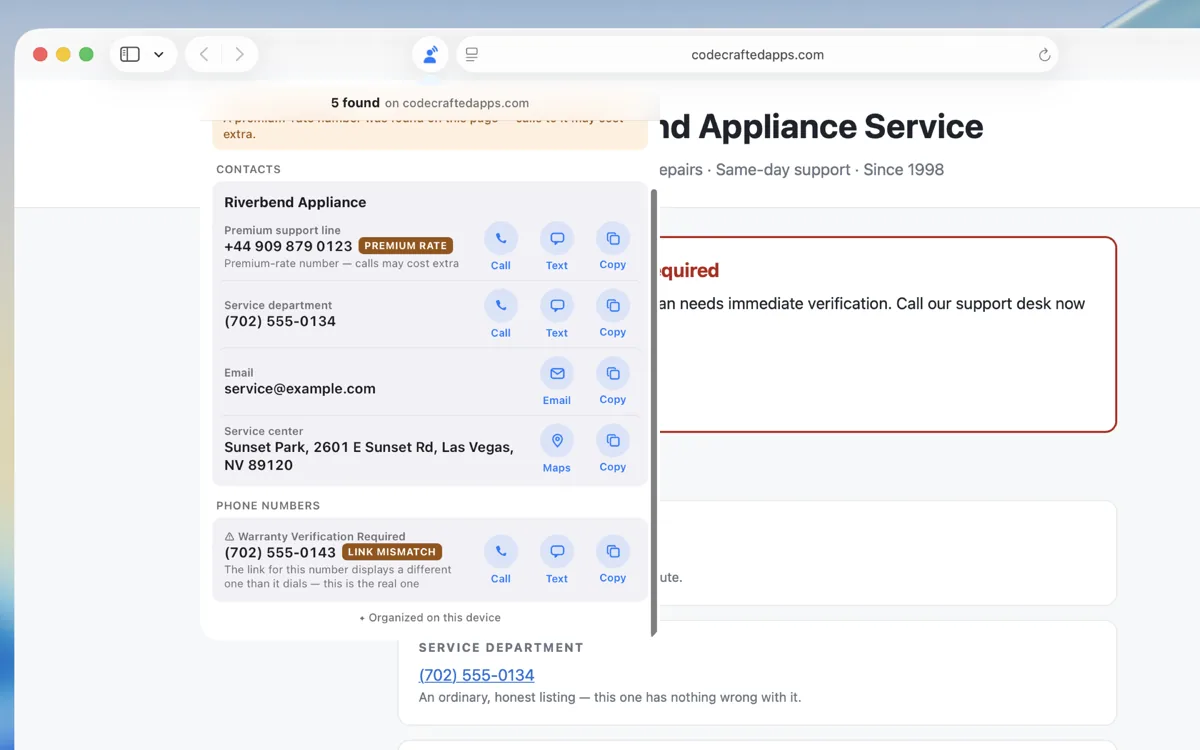
- Warns you when it spots a misleading page. A link that dials a different number than it shows, contact details hidden from view, a premium-rate line — each one is flagged, on your device. It can't catch every fake, so always check for yourself before you call or pay.
- Copies clean text. Copy always yields well-formatted, plain text — a multi-line address comes out as a tidy address, never a run-together string or HTML junk.
How to use it
Turn it on — iPhone and iPad
- Open Safari and go to any web page.
- Tap the page menu at the left end of the address bar.
- Tap Manage Extensions, turn on ContactTap, then tap Done.
Turn it on — Mac
- Open Safari and choose Safari → Settings → Extensions.
- Turn on ContactTap. That's it.
Then, on any page
- Visit a page that shows contact info — a business site, a menu, a directory.
- Tap the ContactTap button in Safari and allow it to read the page. Choosing Always Allow skips the ask next time; either way it still only reads when you tap.
- Call, text, email, open any address in Apple Maps, or copy anything as clean text.
See it in action
Every screenshot below is the real extension, on the fictional café page and the scam demonstration built for testing. No staged mockups, and no real business's details: the phone numbers and emails come from reserved fictional ranges, and the addresses point at public parks and landmarks.
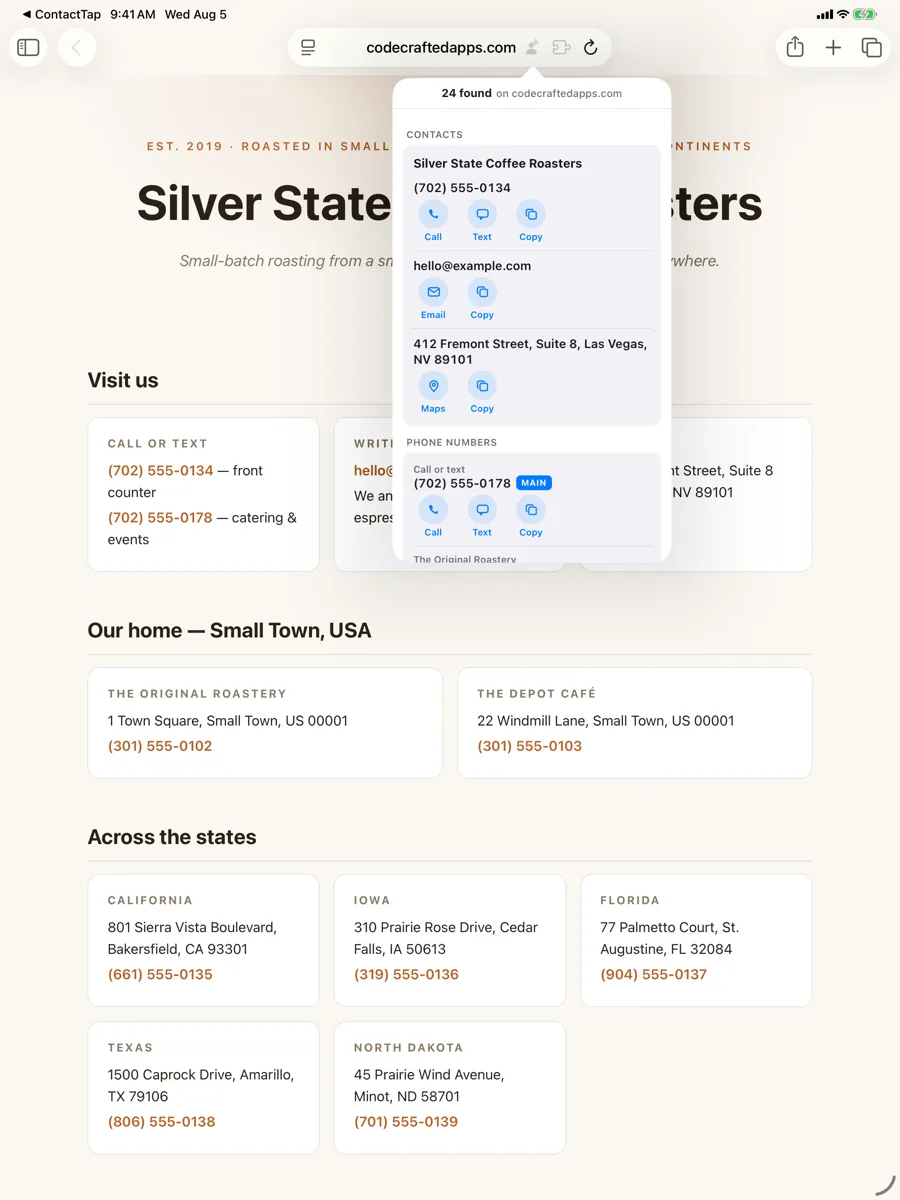
Built to resist scams
ContactTap can only read what a page contains — it can't verify that a business is who it claims to be, and it can't catch every fake. What it can do is look for the common tricks, and tell you when it spots one:
- Shows the number a link really dials. If a link displays one number but dials another (a classic scam), ContactTap lists the real one and warns you about the mismatch.
- Ignores invisible text. Contact info hidden from view — a favorite spot for planting scam numbers — is skipped, and the popup says so.
- Flags premium-rate numbers when it can identify them, so an expensive call is never a surprise.
Curious what that looks like? Our scam demonstration page imitates the tricks — safely, with fictional numbers — so you can watch the warnings fire before you ever meet the real thing.
These checks run entirely on your device, like everything else ContactTap does.
They are best-effort, not a guarantee. ContactTap will not catch every fake or misleading phone number, address, or email — new tricks appear constantly, and a warning it doesn't show is not a clearance. Never treat a quiet result as proof that a listing is safe. Always verify independently before you call, pay, visit, or share personal information, especially where money, accounts, banks, government agencies, or “support” are involved. Use of ContactTap is at your own risk and subject to the Terms of Use.
What it does not do (please read this)
ContactTap is a quick personal utility, deliberately — not a data-collection tool. To set expectations honestly:
- It is not a scraper or lead-gen tool. There is no CSV or spreadsheet export, no CRM integration, no bulk email, no social-profile harvesting — and there never will be. It handles the contact info in front of you, one page at a time.
- It does nothing until you tap it. No page is read, scanned, or touched until you open the popup on that page.
- It does not catch every exotic format. Unusual address layouts and obfuscated emails ("name at example dot com") can slip past. The test page documents exactly what it finds and what it misses.
- It does not validate or geocode addresses. That would require a network request, and ContactTap makes none — what you see on the page is what gets copied or mapped.
- It does not read text inside images (a photographed menu, a business-card scan). On-device text recognition is planned for a later version.
Privacy promises
- Zero data collection. Nothing is collected, stored remotely, sold, or shared. Ever. The App Store privacy label reads “Data Not Collected” — and every feature is built to keep that true.
- Zero analytics, telemetry, or error reporting.
- Zero network requests. The extension never connects to the internet. Scanning, parsing, and formatting all happen locally, on your device.
- The smallest permission Safari offers. ContactTap uses the “active tab” grant: it can only see the page you're on, and only at the moment you tap it. It never asks for access to all websites, and it never modifies a page — it only reads.
- No Contacts access at all. ContactTap doesn't ask for permission to your address book, because it doesn't need one — it hands what it finds to Phone, Messages, Mail, or Maps, or copies it as clean text. Nothing of yours is read.
Full privacy policy and terms of use.
Status & roadmap
ContactTap is on the App Store for iPhone, iPad, and Mac — one $0.99 purchase covering every device. Here's the shape of it:
- Version 1.0.0 — August 2026, first release: page scan with call / text / email / map / copy actions, scam warnings, and on-device organizing of results.
- Version 1.0.1 — September 2026, available now: results fill the whole sheet on iPhone, the Call / Text / Copy buttons stay on one line on smaller screens, the keyboard focus outline is back, and the in-app Settings button now opens ContactTap's own row in Safari's extension settings rather than the general app page.
- Planned for 1.1: Save to Contacts, using Apple's own “Create New Contact / Add to Existing” sheet, plus better address detection built on the same on-device engine Mail and Messages use.
- Later: on-device text recognition (contact info inside images) and Shortcuts support — all still fully on-device.
Want to see exactly what it finds before you buy? Try the demo café page for ordinary results, the scam demonstration for the warnings, and the test bench for the full picture — including the formats it honestly doesn't catch yet.
Platform support
| Platform | Browser | Notes |
|---|---|---|
| macOS | Safari | macOS 26 or later |
| iOS | Safari | iPhone, iOS 26 or later |
| iPadOS | Safari | iPad, iPadOS 26 or later |
ContactTap is built Safari-first, as a native app-plus-extension the way Apple intends — that's what makes Apple Maps handoff and on-device organizing of results possible.
About this project & maintenance
ContactTap is a personal side project by one independent developer. I plan to keep it working as Safari and Apple's platforms evolve, and I'll do my best to address issues, but there's no service-level commitment — see the Terms of Use for the formal language.
Questions or problems? The support email below reaches me directly.