A Safari extension that quietly rewrites map links — Google Maps,
Waze, Bing, HERE — so they open in Apple Maps
instead. Open source, zero tracking. Everything happens on your
device; nothing is ever sent anywhere.
Out now on the App Store for iPhone, iPad, and Mac — one $0.99 purchase covers every device.
What it does
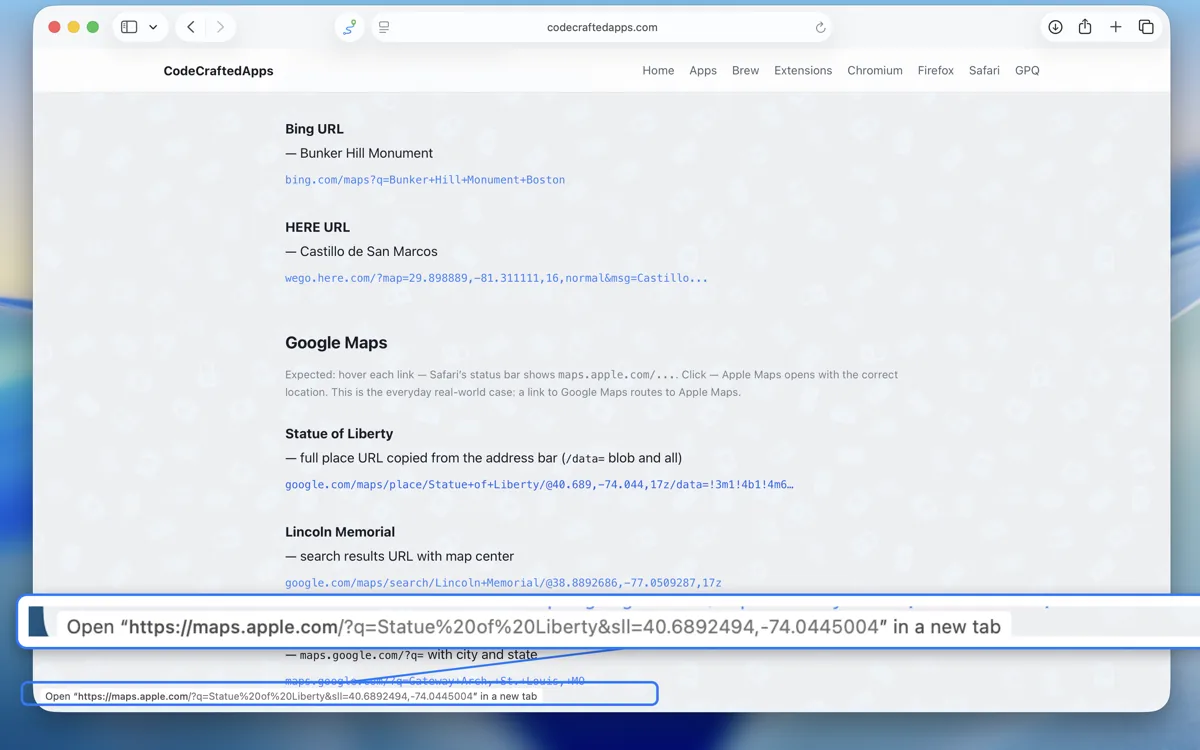
Rewrites map links in place. When a page contains a link to Google Maps, Waze, Bing Maps, or HERE WeGo, Map Path changes that link so it opens in Apple Maps — the address, place, or coordinates carry straight over.
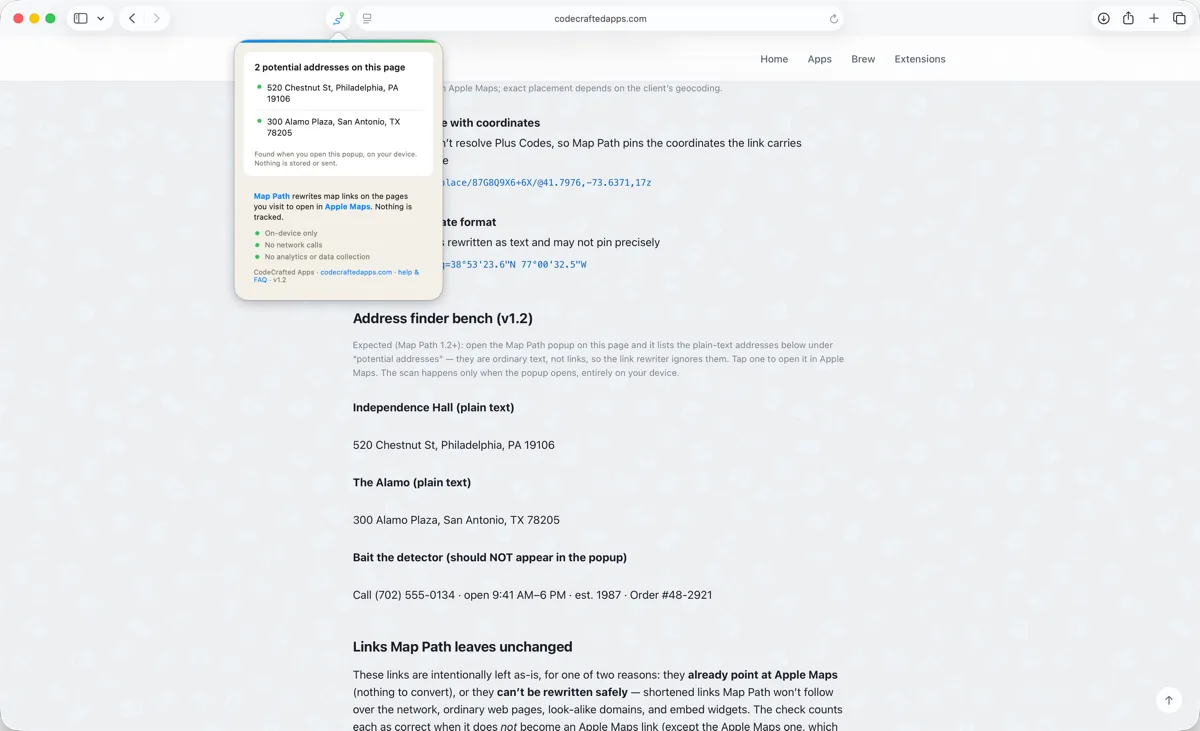
Finds addresses on any page(new in version 1.2). Open the Map Path popup and it lists the street addresses it spots on the page — even when there's no map link at all. Tap one and it opens in Apple Maps. The page is read only while the popup is open, entirely on your device.
Understands the common shapes. Place and address searches, @lat,lng and ll= coordinates, and directions links are translated to the matching maps.apple.com target.
Leaves everything else alone. Links that are already Apple Maps are untouched, and non-map links are never modified.
Works as you browse. It re-checks links when pages update (search results, single-page apps), so dynamically loaded maps are covered too.
See it in action
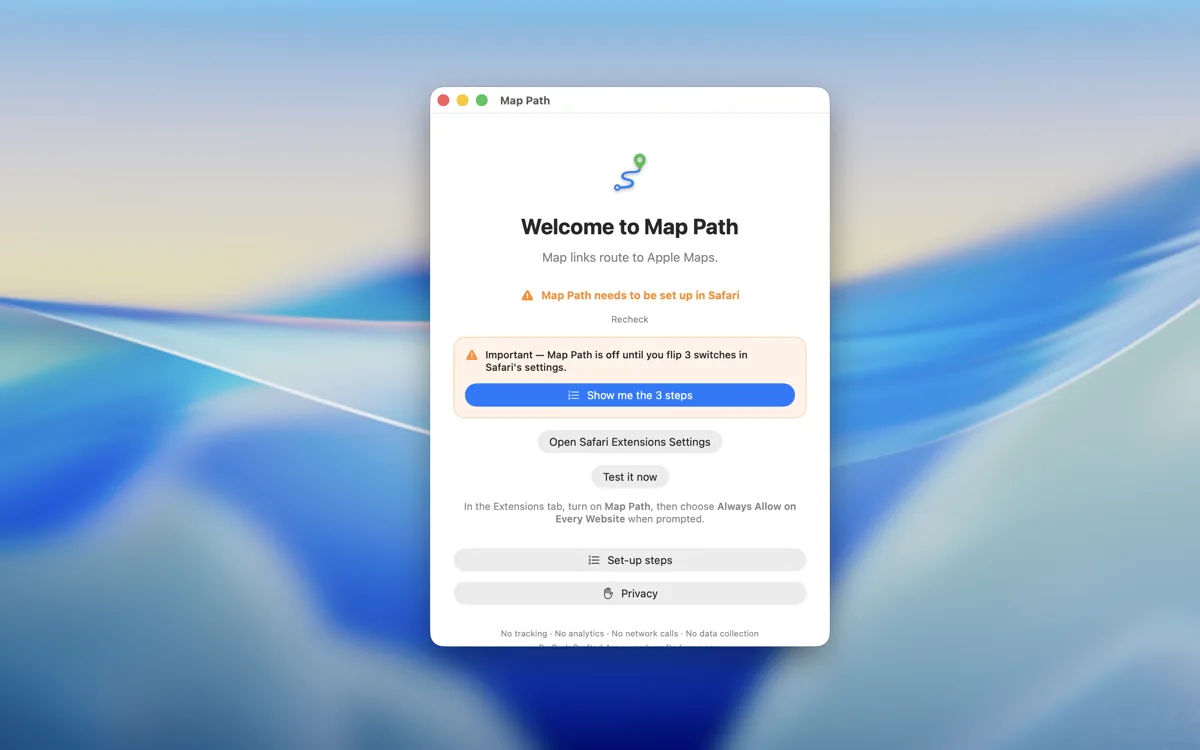
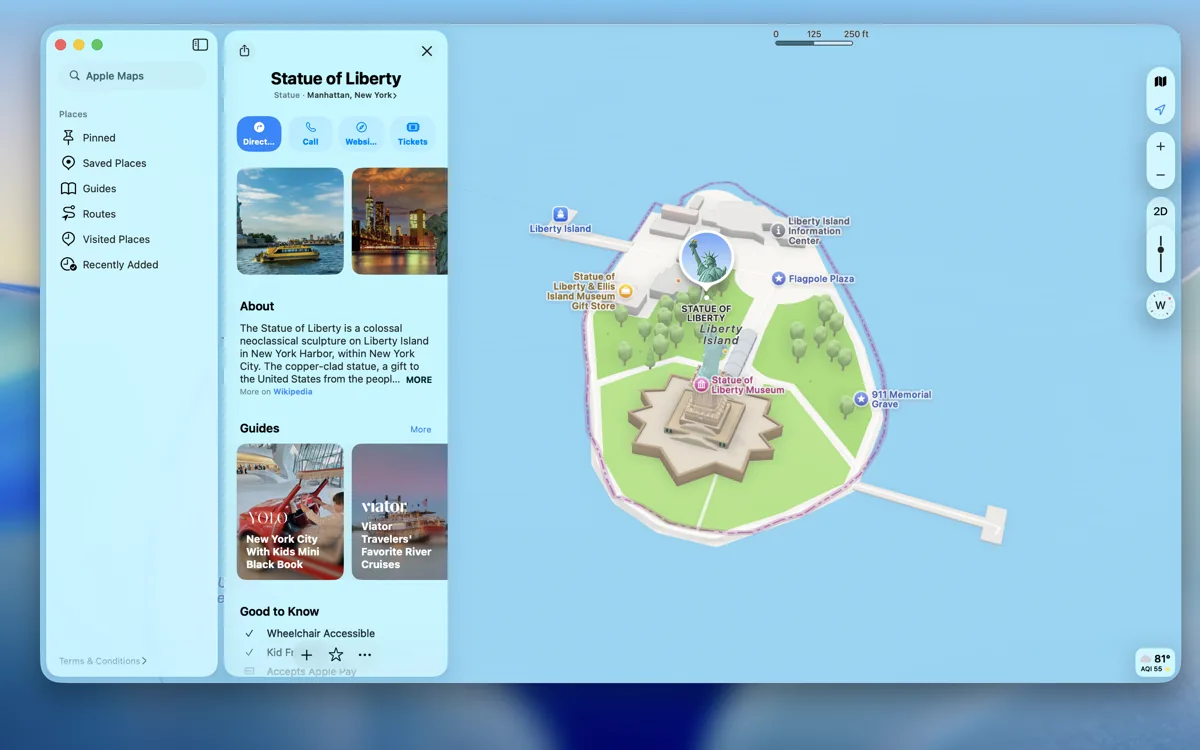
The app walks you through setup.Hover any map link — it now points at Apple Maps.New in 1.2: the popup lists the addresses it finds on the page.One click later: Apple Maps, right where the link pointed.
What it does not do (please read this)
Map Path is a small convenience tool, not magic. To set
expectations honestly:
It does not follow or unwrap shortened links (like goo.gl or maps.app.goo.gl). Resolving those would require a network request, and Map Path makes none — so shortened map links are left as-is rather than guessed at.
It does not get every coordinate or Plus Code perfectly. A small fraction of unusual link formats won't translate cleanly; when in doubt, Map Path leaves the original link untouched rather than send you to the wrong place.
It does not change your browser's default, install anything system-wide, or affect apps other than Safari.
It does not redirect pages you are already on — it only rewrites links before you click them.
Privacy promises
Zero data collection. Nothing is collected, stored remotely, sold, or shared. Ever.
Zero analytics, telemetry, or error reporting.
Zero network requests. The extension never connects to the internet. All link rewriting happens locally, in the page.
Minimal permissions. Map Path reads link addresses on the pages you visit — which is why it asks for website access — solely to rewrite map links. It stores no personal data; the app keeps only a one-time first-open flag on your device.
No third-party SDKs, no CDNs, no remote scripts. Verifiable in the source.
Map Path is a Safari Web Extension distributed through the
App Store. Version 1.2.1 is out now for iPhone, iPad, and
Mac — one $0.99 purchase covers every device.
Safari (Apple platforms)
iPhone, iPad, and Mac, running iOS, iPadOS, or macOS 26 or later. Installs from the App Store; the app then walks you through switching it on in Safari's extension settings (step-by-step guide).
$0.99 — one purchase, every platform.
Map Path is built for Safari first. Versions for other
browsers may follow in their own listings later.
Platform support
Platform
Browser
Notes
macOS
Safari
Apple silicon and Intel
iOS
Safari
iPhone
iPadOS
Safari
iPad
There is no tvOS build — Apple TV has no Safari to extend.
What's new
Every release is tagged in the public source code, so you can see
exactly what each version contains.
1.2.1 — September 2026: setup is one tap on iOS 26.2 and later — it opens Map Path's own row in Safari's extension settings. Checked against OS 27; how links are rewritten is unchanged. (source: v1.2.1)
1.2.0 — July 2026: the address finder. Open the popup on any page and it lists the addresses it finds; tap one to open it in Apple Maps. Detection runs entirely on your device. (source: v1.2.0)
Map Path is a personal side project, released under the
MIT License. I plan to keep
it working as Safari and Apple's platforms evolve, and I'll do my
best to address compatibility or accuracy issues, but there's no
service-level commitment — see the
Terms of Use for the
formal language.
If a map link isn't being rewritten the way you'd expect, the
support email below is the best way to reach me.